AI Portfolio
Executive Assistant
A daily briefing that reduces overwhelm and gives me one task to do
The Problem
A queue that never ends
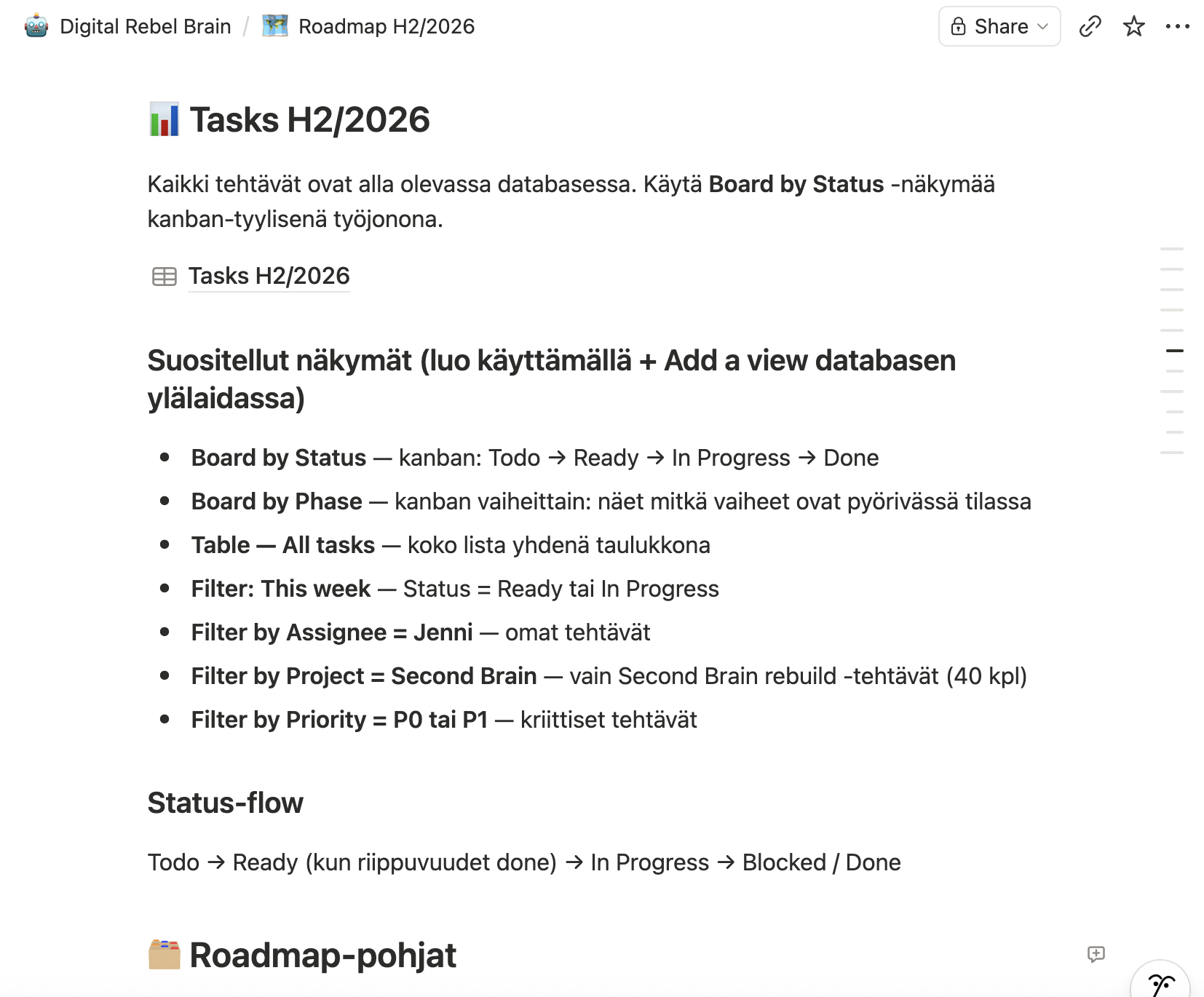
I have somewhere between 80 and 100 tasks open in Notion at any given time. Most of them matter. None of them are urgent in the way client work is urgent.
I have a limited window each day for my own AI work, sandwiched between client projects. The rest of the day goes to delivering what I'm being paid to deliver. That window is enough to make real progress — but only if it lands on the right task.
If I look at the roadmap, the queue never ends. Every time I finish one task, two more take its place. But there's no overwhelm in the morning, because the assistant tells me what to do today. The rest doesn't need to matter right now.
The Solution
One task, every morning, in my inbox
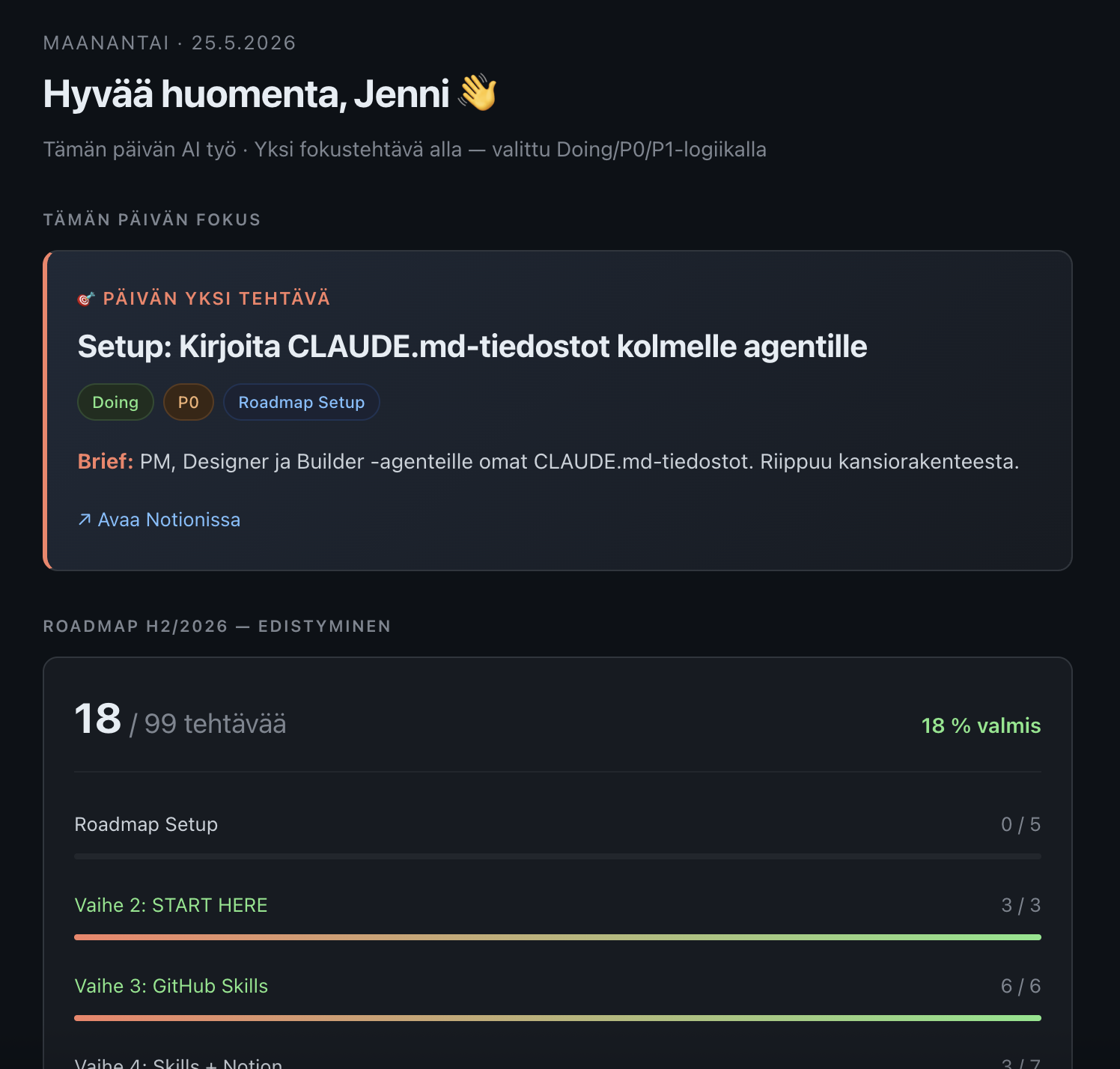
A small Python script reads my Notion tasks and applies a single rule: pick the next thing I should be doing if I followed my own plan. Doing tasks come first (lowest priority number wins), then Todos with Learning-phase items ahead of others — Learning is the AI Next Level roadmap, the core path I committed to.
The briefing renders as mobile-friendly HTML: today's focus, why it matters, three to six concrete steps, the monetization angle, roadmap progress, and an attention block for stuck items. It lands in my inbox and at a private URL on my phone's Home Screen. I see one task. I do it. Tomorrow's briefing reflects what's done.
Six seconds end-to-end. Python script, no dependencies beyond the standard library. One Notion API call brings in the full task list. A selection function picks today's focus. The template renders inline HTML, no framework. Gmail SMTP sends the email. Git commits the output, Vercel auto-deploys behind a Basic auth password.
Claude is not in the daily loop. The selection rule is encoded once in Python, not negotiated every morning. Claude only comes in when I want to update Notion ("I finished X, please update Notion") or when I want to change the rule.
Status
Live and running
Built and shipped end-to-end in one session. First production run was 25.5.2026.
Live
- Daily generation at 06:50 via GitHub Action
- Email delivery via Gmail SMTP to my inbox
- Web version at a private Vercel URL, Basic auth password protected
- Phone Home Screen icon for the web version
- Write-back to Notion via Claude when I finish a task
What this replaced
About 30 minutes of morning decision fatigue every day. Now the decision is made before I'm awake, by a rule I trust because I wrote it.
Tech Stack
- Python 3.12 — standard library only, no external dependencies
- Notion REST API
- GitHub Actions — cron schedule + repository secrets
- Vercel — static hosting + edge middleware for Basic auth
- Gmail SMTP via app password
How focus and operating models play out in real engagements
Further reading
The Bottleneck Isn't Building. It's Deciding.
AI made execution fast. But approval still runs on slide decks and steering groups. The bottleneck in product development isn't technical — it's organizational.
The Monday Morning Test: Does Your Strategy Actually Land?
Five questions you can ask any Monday morning to see whether your strategy is running the company or just living in a deck nobody opens anymore.
The Steering Committee Tax: What Governance Really Costs
Steering committees were created to manage risk but became a hidden tax on decision speed. How to redesign governance without losing oversight.
Get the next article
Short, practical notes on agentic product development: how teams build with AI agents without losing quality.
Want to bring an AI concept to life?
Let's talk about turning prototypes into products.