AI Portfolio
Piggy Bank Design System
Tokens, components and accessibility, built with AI
The Challenge
A brand, but no system underneath
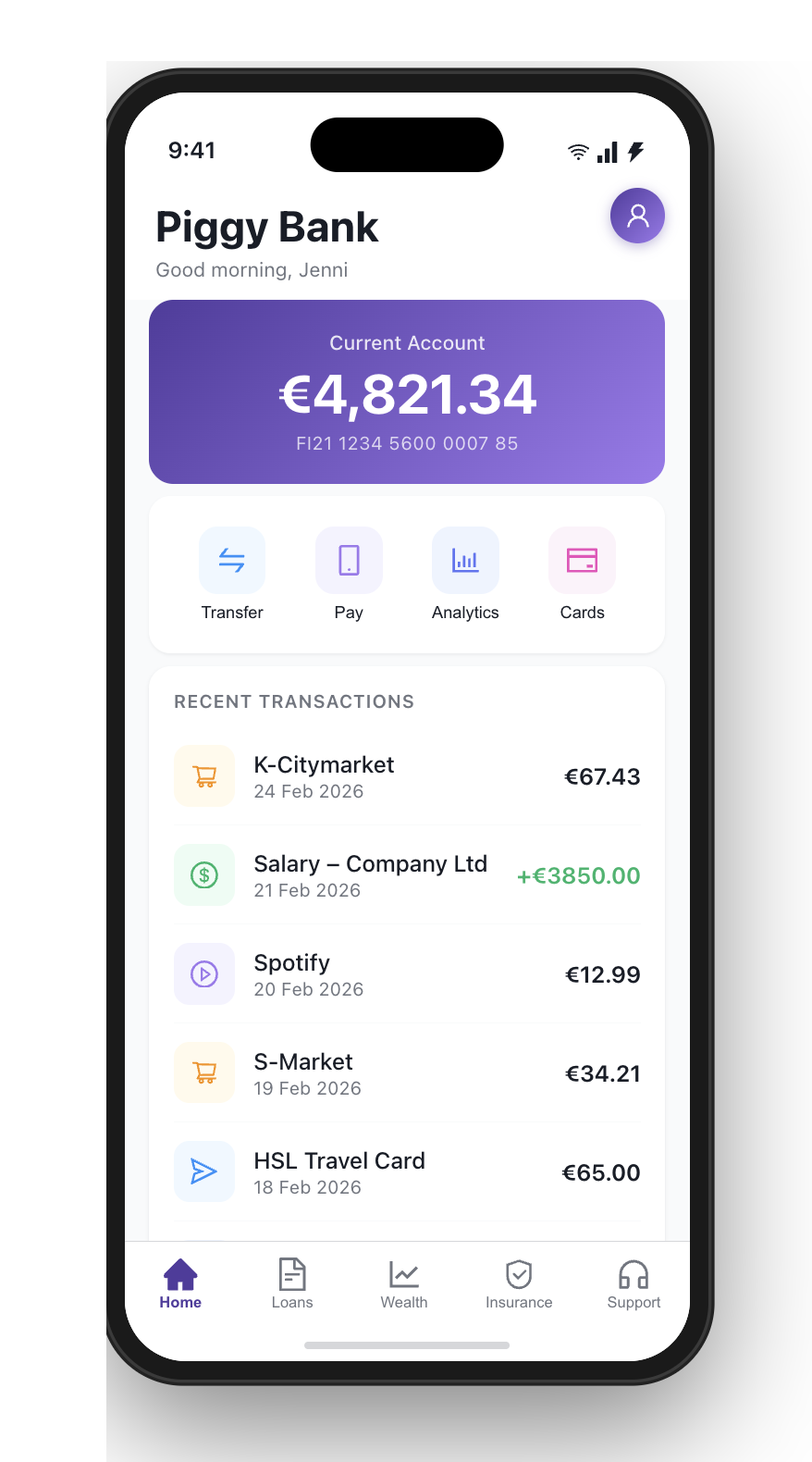
A quick note before we start: this is a demo, but the approach is not theoretical. I have built a production design system for a client with Claude. That work is under NDA, so I rebuilt the same method on Piggy Bank, a brand I am free to break, to show exactly how it works.
Piggy Bank had screens. What it did not have was a system.
Colours were picked by hand, spacing was guessed, and the same button existed in five slightly different versions across the app. Change the brand colour and you would be hunting through files for a week.
I have been a designer for twenty years, but my interest in pixel-level fiddling disappeared a long time ago. I understand how design systems work. I had just never wanted to build one by hand, token by token, component by component.
So I asked a different question: could AI own the part I do not enjoy, and do it properly? Tokens, components, accessibility, documentation, the whole foundation, built from Figma through the Model Context Protocol.
The System
One library, every screen
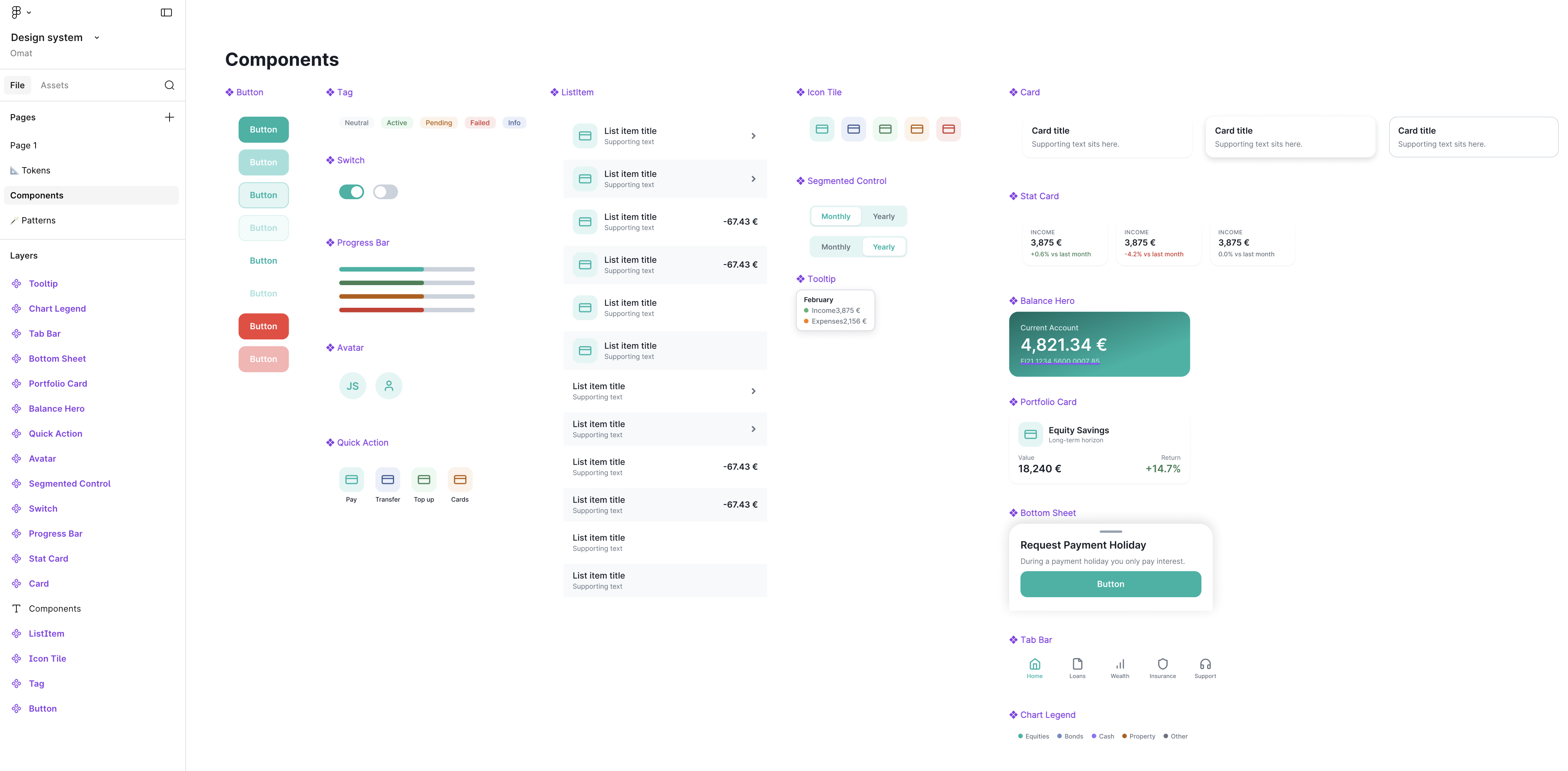
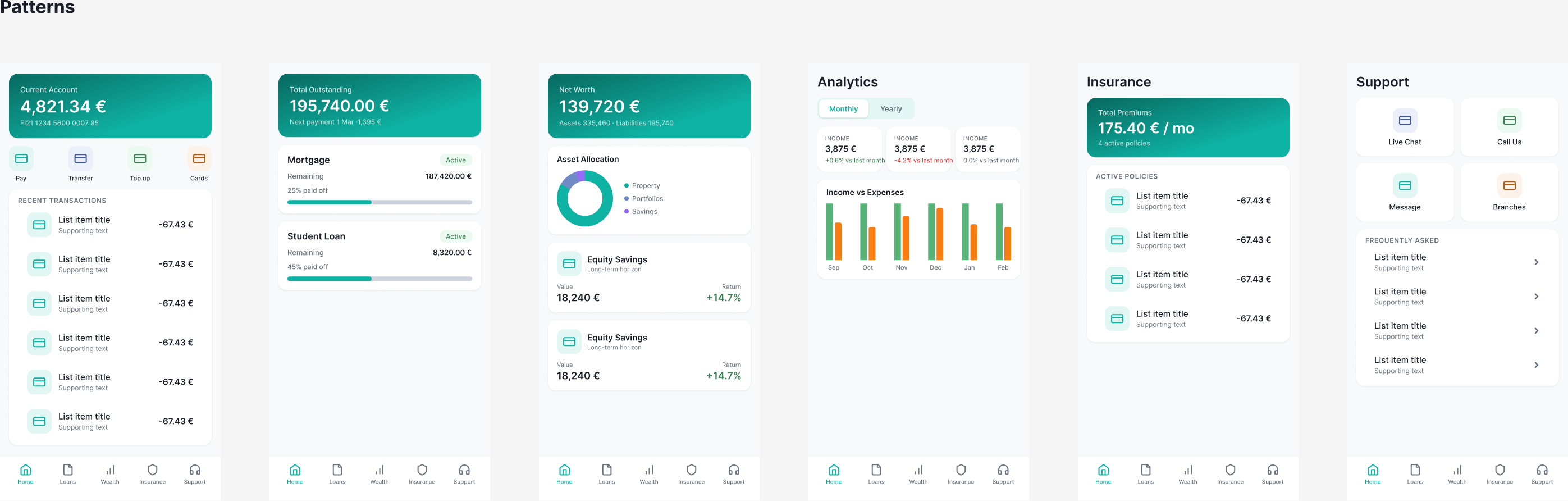
A design system is not a folder of screenshots. It is a chain: tokens feed components, components feed patterns, patterns become screens.
The library holds sixteen components, built as proper variant sets:
- Buttons, tags, icon tiles and list items
- Cards, stat cards, progress bars and switches
- Segmented controls, avatars and quick actions
- Larger pieces: balance hero, portfolio card, bottom sheet and tab bar
Every one is bound to semantic tokens, so nothing is a one-off. The icons are real Lucide vectors, an open-source, MIT-licensed set, imported straight into Figma rather than faked with placeholders.
I did not draw a single rectangle by hand. Claude built the variant sets, wired each component to the token layer, and assembled all six Piggy Bank screens from component instances.
The payoff shows up the moment you want to change something. Because everything resolves through tokens, a new brand colour is a single edit that ripples across every component and every screen before you can say "cat."
And nothing is locked. Every component is fully editable in Figma, with working auto-layout, so the moment I want to step in and build or tweak something by hand, the system bends with me instead of fighting me. AI builds the foundation; I keep full manual control on top of it.
That is the real difference between a design system and a pile of mockups: one change, applied everywhere, instantly, with no hunting and no drift.
Foundations
Seventy-eight colours, all on purpose
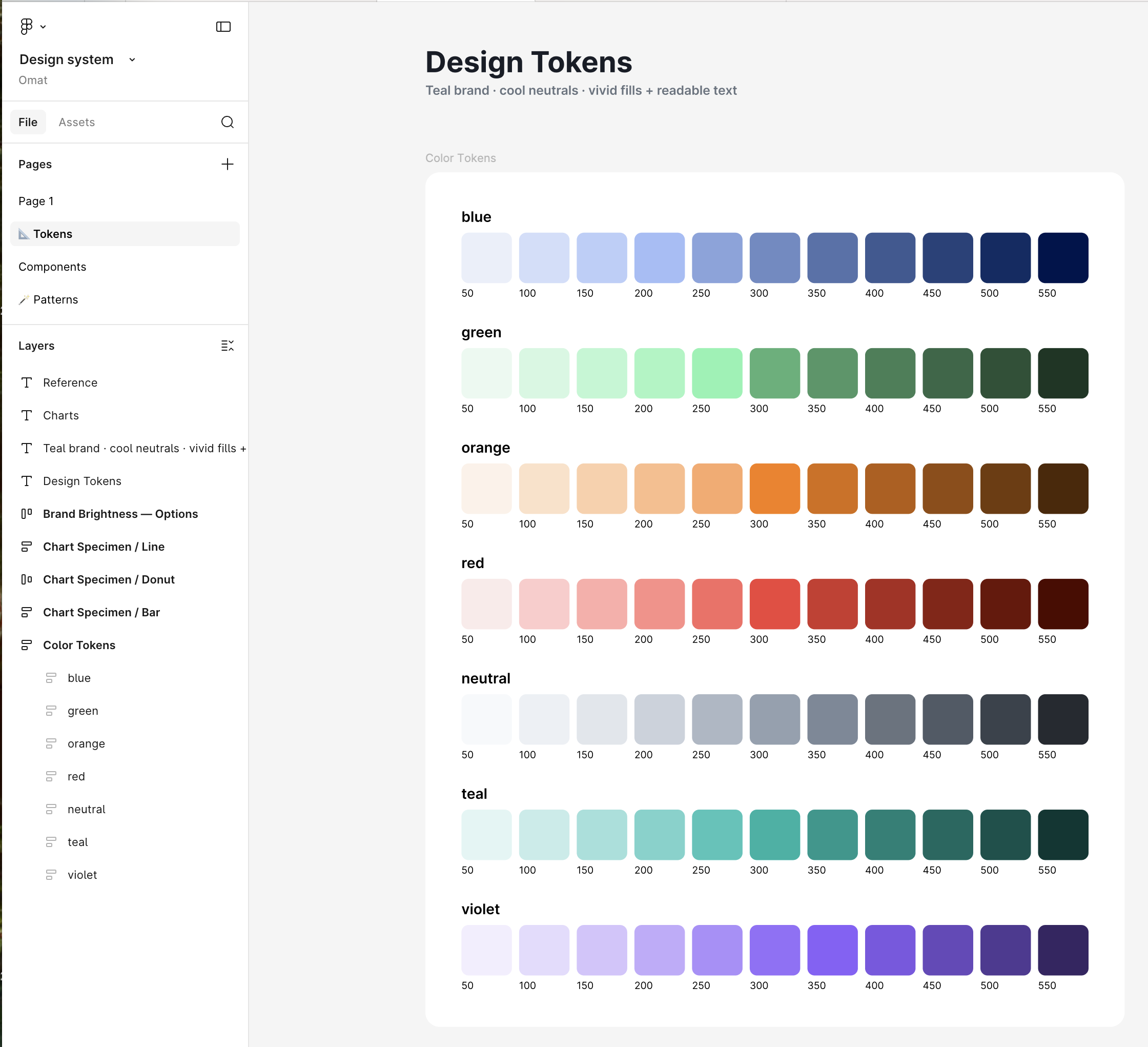
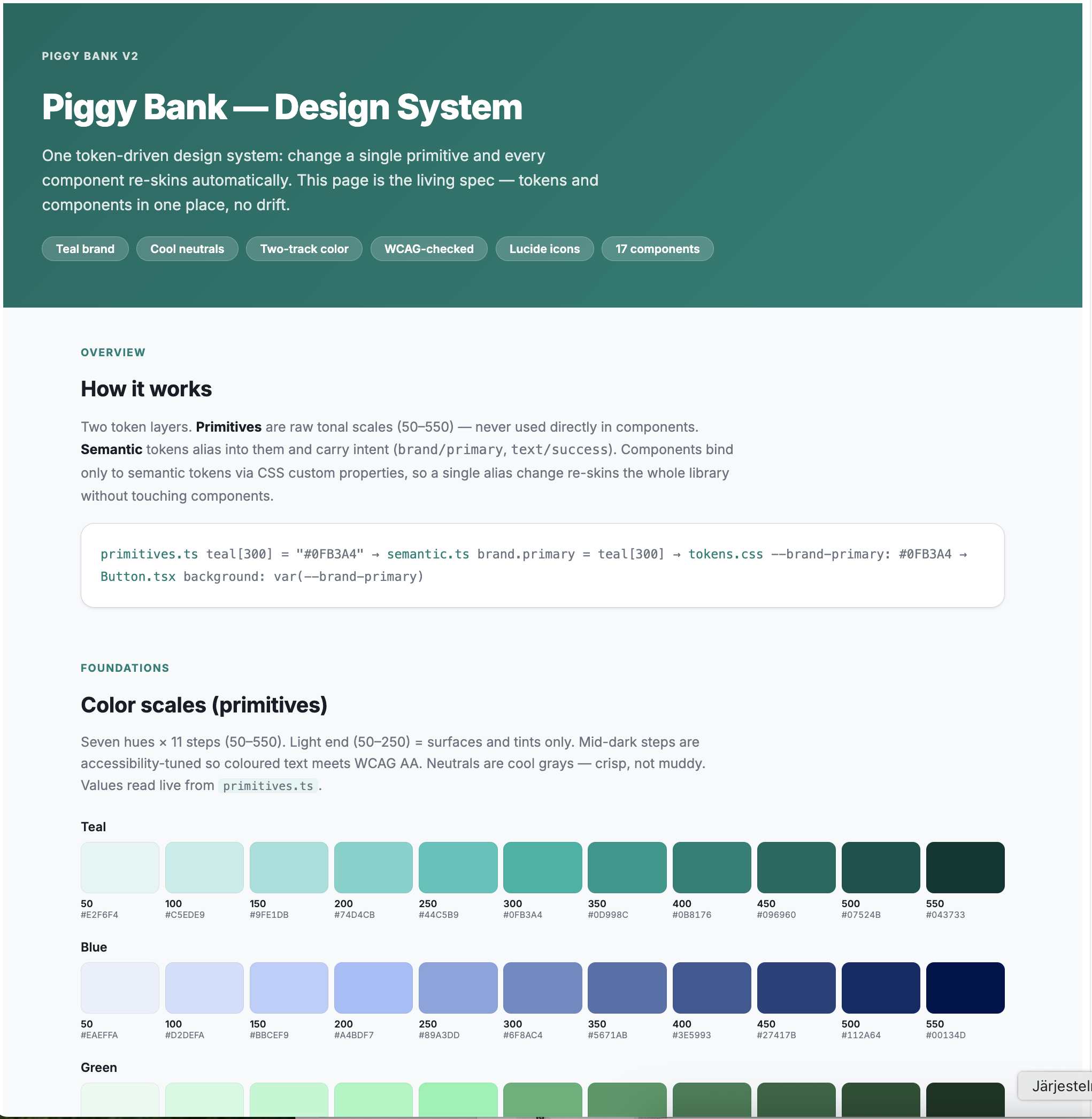
The foundation is colour primitives: seven ramps, eleven steps each, seventy-eight variables in total. Real Figma variables with proper names, not swatches floating on a canvas.
On top of those sit about thirty-six semantic tokens, the aliases the components actually reference: text/success, foreground/primary, brand/primary, accent surfaces. The brand itself moved from the old purple to a vivid teal.
The rule Claude followed is the part that matters: semantic text tokens only ever point to accessibility-safe primitives. A designer or developer cannot accidentally pick an inaccessible combination, because the system will not offer them one.
Accessibility
Accessible by default, not by audit
Most teams treat accessibility as a check at the end. Here it was built into the foundation.
We used a two-track approach. Surfaces, the buttons, icon tiles, progress bars and charts, use the vivid teal. But coloured text never sits on that vivid level. Text drops to a darker, readable step that passes WCAG AA contrast. The brand stays bold and the text stays legible.
This is not just good craft, it is compliance. In the EU, the European Accessibility Act made accessibility mandatory for banking and consumer digital services from June 2025. In the US, ADA litigation and Section 508 push the same standard. Both continents converge on WCAG 2.1 AA, so a system that is AA from the foundation is compliant on both sides of the Atlantic, by default rather than patched in later.
The Result
A living spec, not a slide deck
The last piece is documentation, the part nobody enjoys writing. Claude generated a self-contained spec page: overview, all seven ramps, the semantic tokens, the two-track accessibility model, typography, every component and every pattern. The page is styled with the design system itself, and the contrast ratios are calculated live, on the page.
None of this was written by hand.
The wider point is not really about a design system. It is about how product work changes when AI owns the slow, mechanical layers. The tokens, the components, the documentation, the things that used to eat a week, are now the parts I delegate. I stay where a twenty-year background is actually useful: the decisions, the trade-offs, the brand calls.
Design System Tech Stack
- Figma — design system source of truth
- Figma MCP — Claude reads and writes variables, components and patterns
- Claude Code — orchestration and component build
- Lucide — open-source, MIT-licensed icon set
- WCAG 2.1 AA — accessibility target, checked live
- Self-contained HTML — living spec with live contrast badges
A friendly reality check
What you're looking at is an AI-generated prototype — a fast proof of concept to explore ideas and demonstrate what modern AI tools can do.
But a prototype is not a product. Building the real thing requires clear business goals, processes, customer journeys, solid business logic, defined user needs, and hundreds of decisions no AI can make for you (yet).
So don't ship a prototype and call it done. Define proper strategy, design, and get someone who knows the difference between “looks impressive” and “actually works and creates value for both customer and business.”
Might we suggest Digital Rebel? We hear they're quite good at that.